Getaway Crew Controls and Settings
Readable graphics, stable frames, and UI habits that keep heists and chases under control.
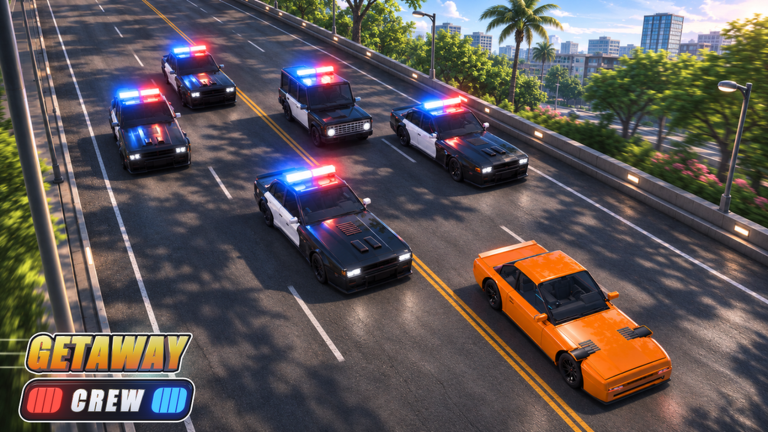
Bad settings lose Getaway Crew runs as often as bad routes. This guide covers graphics quality 5+, performance tradeoffs, driving feel, and UI habits that matter when you rob a bank and flee to the criminal base. Pair it with Getting Started for day-one setup, Escape Police for chase lines, and Vehicle Upgrades so your garage matches what you can actually control.
Getaway Crew by cc softworks is a Roblox heist-and-chase loop: solo or partner bank job, customized cars with parts, then a timed escape under police pressure. UPD 3 is live as of November 2026. Clear visuals and predictable input matter more after patches when chase reads change.
Graphics quality 5 or higher
The experience recommends graphics quality 5+. Below that, players commonly lose:
- Road edge reads on escape corridors
- Chase and heat cues that tell you when to push or reset
- Garage and parts UI detail when spending Cash
- Landmark recognition on the approach to the criminal base
If your device can hold 5 at a stable framerate, start there. Climb higher only while frames stay calm during a full bank-to-base attempt. A pretty preset that stutters mid-corner is worse than a steady mid-high setting.
When you must compromise
Weak phones or laptops should still aim for the 5 floor if possible, then cut extras elsewhere:
- Close background apps and browser tabs.
- Avoid stacking screen recorders on already-taxed hardware.
- Prefer outdoor Wi-Fi or stable ethernet over flaky hotspot play for serious attempts.
- Re-test after major patches listed on Updates—UPD-era changes can shift GPU cost.
If you literally cannot hold 5 without slideshow frames, raise as high as you can without input lag, then simplify your escape corridor until hardware improves. Do not blame “random busts” that are actually unseen turns—see Common Mistakes.
Performance tips that protect chases
- Stable FPS over max shadows. Chase timing depends on consistent steering response.
- Warm up one practice corridor after any settings change before a cash-heavy run.
- Avoid alt-tab storms on desktop mid-heist; focus loss equals missed exits.
- Watch thermal throttling on laptops—performance that feels fine in the lobby can melt three minutes into a pursuit.
- Rejoin once if the session hitching started after a long idle; soft client weirdness is common on Roblox.
Performance is part of prep. Add a settings check to the Pre-Heist Checklist so you do not discover a broken preset after the vault.
Driving feel and control habits
Getaway Crew rewards smooth inputs more than panic mashing.
Steering and speed
- Brake before the turn; accelerate after the apex.
- Huge steer spikes dump speed and invite wall kisses.
- Pick one chassis and learn its understeer/oversteer before hopping cars every run (Vehicles Tier List).
- Spend Cash on parts that make that chassis predictable—acceleration to open gaps, handling to hold your line—via Vehicle Upgrades and Car Parts.
Solo vs duo control
Solo: You own every input. Use settings that maximize readability; you cannot rely on a partner spotting hazards.
Duo: The driver needs the clearest road view and the calmest frame rate. The robber should not flood voice with non-essential chatter mid-corner. Role habits: Co-op Partner.
Camera and focus
Keep the camera angle you can sustain for a full chase—not the flashiest cinematic view. If you lose the car’s nose on sharp turns, flatten the camera until the hood and road edges stay obvious. Readable beats stylish when the timer is bleeding.
UI tips for heists and chases
Before the bank
- Confirm you can see objective / timer information without squinting.
- Know where garage and parts screens live so mid-session upgrades do not become a scavenger hunt.
- Redeem codes in a calm lobby moment using the bottom Enter a code flow (Codes, How to Redeem)—not while already committed to a grab.
During the bank
- Keep UI clutter from hiding exit direction.
- In duo, agree who watches timer callouts so nobody “discovers” a dead clock after loading the car (Bank Heist).
During the chase
- Glance timer on straights, not mid-apex.
- If a prompt or menu steals focus, dismiss it immediately—menus do not outrun cops.
- Practice the final criminal base approach until landmarks beat HUD dependency (Criminal Base, Escape Police).
Mobile-specific notes
On mobile, thumbs cover more of the screen. Slightly higher graphics (when stable) can make road edges easier to read, but never at the cost of touch latency. Landscape mode usually helps driving more than portrait. Keep the code bar experiments for lobby time; the on-screen keyboard covering the bottom UI is a redeem problem, not a chase tool.
Settings checklist (UPD 3 era)
- Graphics at least 5 if hardware allows
- Frame rate stable through a practice escape
- Camera angle keeps the car nose readable
- Duo driver confirmed on the clearest device/account
- Codes redeemed before serious attempts
- One practiced corridor named (Route A)
- Next upgrade planned with Cash Priority
Linking settings to the rest of the loop
Settings do not replace route discipline. After you lock graphics and feel:
- Drill bank timing on Bank Heist.
- Drill arrivals on Escape Police and Criminal Base.
- Spend Cash where control improves—not cosmetics first.
- Avoid the classic fails on Common Mistakes.
- Recheck feel after patches on Updates.
Quick links
- Getting Started — day-one join, codes, first heist
- Escape Police — chase routes and driving under heat
- Vehicle Upgrades — parts that change control
- Criminal Base — delivery objective mindset
- Guides Hub — full tutorial index
- Pre-Heist Checklist — prep before the vault
Dial graphics to 5+, keep frames honest, and drive the car you actually upgraded. Clean settings turn “unlucky chases” into readable mistakes you can fix next run.
Frequently Asked Questions
Quick answers to the most common questions.
What graphics setting should I use in Getaway Crew?
Use quality 5 or higher when your device can hold a stable framerate so roads, chase cues, and garage UI stay readable.
Why do low graphics cause problems?
You can miss road edges, landmarks, and chase cues, which feels like random busts. Raise quality or simplify your escape corridor.
Should I maximize every visual option?
No. Prefer stable frames during full bank-to-base runs. Stutter mid-corner loses more heists than missing a fancy effect.
How do settings differ for duo play?
Give the driver the clearest, most stable setup. Keep callouts short so UI glances and voice do not stack into missed turns.
When should I change settings relative to upgrades?
Lock readable graphics first, then buy parts that match your practiced route. Retest feel after each major upgrade or patch.